Support ticket triage
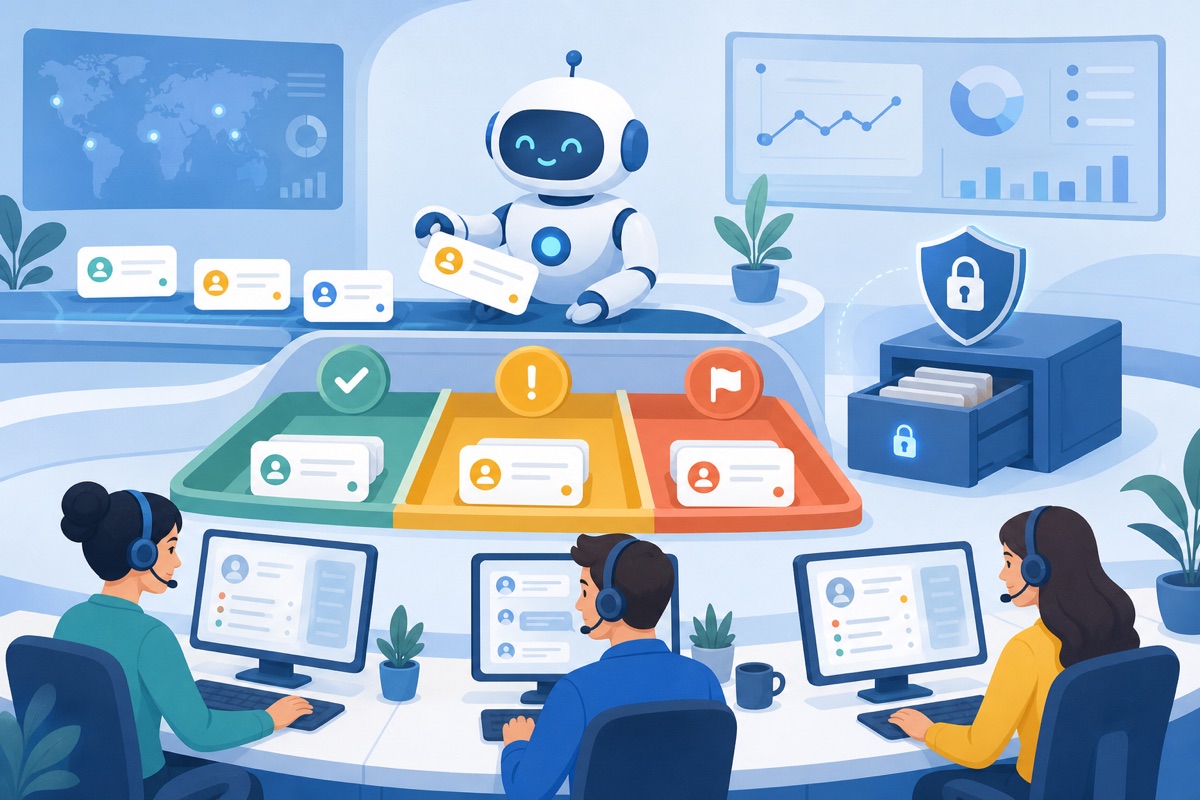
A support inbox receives hundreds of messages a day in several languages: refund requests, bugs, feature questions and the occasional angry customer. Someone reads each one, tags it, picks a priority, looks the customer up and drafts a reply. By the time the queue is sorted, the urgent tickets are already old.
This use case builds the triage step with intellinode: every ticket becomes structured data, urgent tickets are escalated through your own tools, and a reply draft is ready for the agent to approve. The same code runs on OpenAI, Claude or a private model.
1. Turn every ticket into structured data
A JSON Schema makes the classification reliable: the provider's structured output guarantees the shape, and chatJson returns a parsed object.
const { Chatbot, ChatGPTInput } = require('intellinode');

const triageSchema = {
  type: 'object',
  properties: {
    category: { type: 'string', enum: ['billing', 'bug', 'feature_request', 'account', 'other'] },
    priority: { type: 'string', enum: ['low', 'normal', 'high', 'urgent'] },
    sentiment: { type: 'string', enum: ['positive', 'neutral', 'negative'] },
    language: { type: 'string' },
    summary: { type: 'string' },
    needsHuman: { type: 'boolean' },
  },
  required: ['category', 'priority', 'sentiment', 'language', 'summary', 'needsHuman'],
};

const bot = new Chatbot(process.env.OPENAI_API_KEY, 'openai', null, { timeout: 30000, retries: 2 });

async function triage(ticket) {
  const input = new ChatGPTInput('You triage customer support tickets for a SaaS company. Answer as JSON.', {
    responseSchema: triageSchema,
  });
  input.addUserMessage(`Subject: ${ticket.subject}\n\n${ticket.body}`);
  return bot.chatJson(input);
}

const result = await triage({ subject: 'Charged twice', body: 'I was billed two times this month and nobody answers the phone!' });
// { category: 'billing', priority: 'high', sentiment: 'negative', language: 'en', summary: '...', needsHuman: true }
2. Escalate through your own tools
For tickets that need action, the tool loop lets the model look the customer up, open a case in your helpdesk and draft the reply, all with functions you control. Every tool call is recorded in steps, which is your audit trail.
const tools = [
  {
    name: 'lookup_customer',
    description: 'Find a customer account by email',
    parameters: { type: 'object', properties: { email: { type: 'string' } }, required: ['email'] },
    handler: async ({ email }) => crm.findByEmail(email),          // your CRM client
  },
  {
    name: 'create_case',
    description: 'Open a case in the helpdesk and return its id',
    parameters: {
      type: 'object',
      properties: { customerId: { type: 'string' }, priority: { type: 'string' }, summary: { type: 'string' } },
      required: ['customerId', 'priority', 'summary'],
    },
    handler: async (args) => helpdesk.createCase(args),
  },
];

async function escalate(ticket, triageResult) {
  const input = new ChatGPTInput(
    'You are a support operations assistant. Look up the customer, open a case with the triage priority, '
    + 'then write a short, polite reply draft in the customer language.',
  );
  input.addUserMessage(`Ticket from ${ticket.email}:\n${ticket.body}\n\nTriage: ${JSON.stringify(triageResult)}`);

  const { text, steps } = await bot.runTools(input, tools, { maxSteps: 5 });
  return { replyDraft: text, actions: steps.map((step) => step.name) };
}
3. Keep private data on your own hardware
Tickets can contain names, addresses and payment details. Route those to a model that runs inside your network, with the same code: only the chatbot changes.
const { OpenAICompatibleInput } = require('intellinode');

const privateBot = new Chatbot(null, 'ollama', null, { model: 'qwen3', timeout: 60000 });

async function triagePrivately(ticket) {
  const input = new OpenAICompatibleInput('You triage customer support tickets. Answer as JSON.', { responseSchema: triageSchema });
  input.addUserMessage(`Subject: ${ticket.subject}\n\n${ticket.body}`);
  return privateBot.chatJson(input);
}
A self-hosted vLLM server works the same way with SupportedChatModels.VLLM and VLLMInput.
4. Fall back when a provider is down
Wrap the call in a fallback chain. Errors keep the HTTP status, so a rate limit and an outage are easy to tell apart.
const { AnthropicInput } = require('intellinode');

const claude = new Chatbot(process.env.ANTHROPIC_API_KEY, 'anthropic', null, { timeout: 30000, retries: 1 });

async function triageWithFallback(ticket) {
  try {
    return await triage(ticket);
  } catch (error) {
    if (error.status && error.status < 500 && error.status !== 429) throw error;   // a real request problem
    const input = new AnthropicInput('You triage customer support tickets. Answer as JSON.', { responseSchema: triageSchema });
    input.addUserMessage(`Subject: ${ticket.subject}\n\n${ticket.body}`);
    return claude.chatJson(input);
  }
}
Why it helps
- Every ticket is tagged and prioritised in seconds, in the language it arrived in.
- The tools decide what the model may do; nothing is sent to the customer without an agent's approval.
- Sensitive tickets never leave your network, and a provider outage does not stop the queue.
Get the next agent guide in your inbox.
Be the first to read new guides on AI agents, RAG and MCP apps.